
Service Visibility: See Your Runtime Before You Ship
Ordo Platform shows the health, version, latency metrics and rule sync status of every registered engine, so you can check the runtime before a rule goes live.
What you can’t see when you ship a rule
When a rule change goes wrong, the rule itself is often not the problem. The problem is that you don’t know which engine version it will run on, or whether that engine is healthy right now.
Tests pass in dev and staging looks fine. In production, one instance lost its NATS connection three minutes ago and is still running the previous ruleset. Nobody notices until the alert fires.
Service visibility is meant for this case.
What you can see
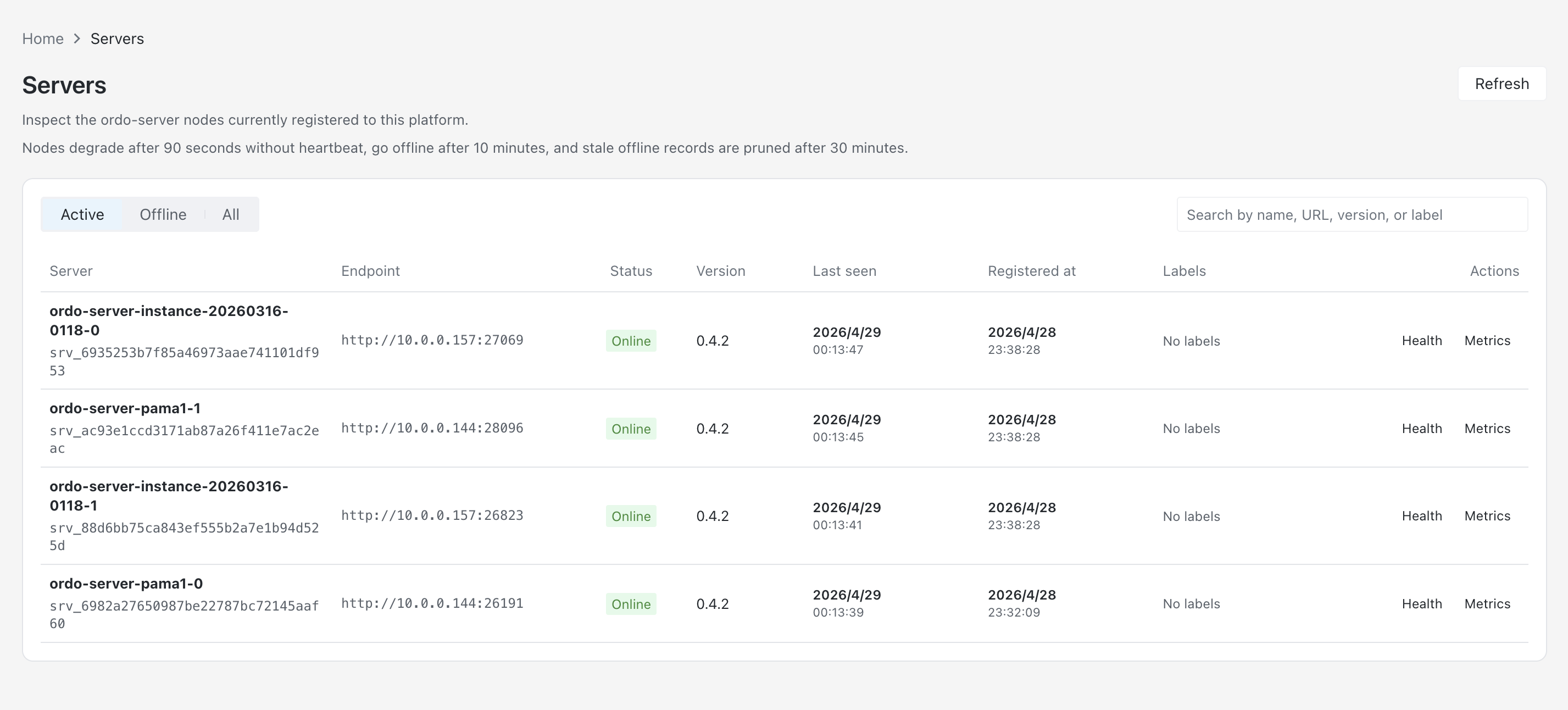
The Engines section of the Platform dashboard lists every registered ordo-server instance with:
Identity
- Instance name and registered address (
ORDO_SERVER_URL) - Registration time and last heartbeat
Health status
healthy/degraded/unreachable- Heartbeat latency (milliseconds)
- Full output of the most recent health check
Rule sync status
- Hash of the currently loaded ruleset
- How many versions it is behind Platform’s latest
- Time of the last successful sync
Performance metrics
- QPS over the last 5 minutes
- P50 / P95 / P99 execution latency
- Memory usage overview
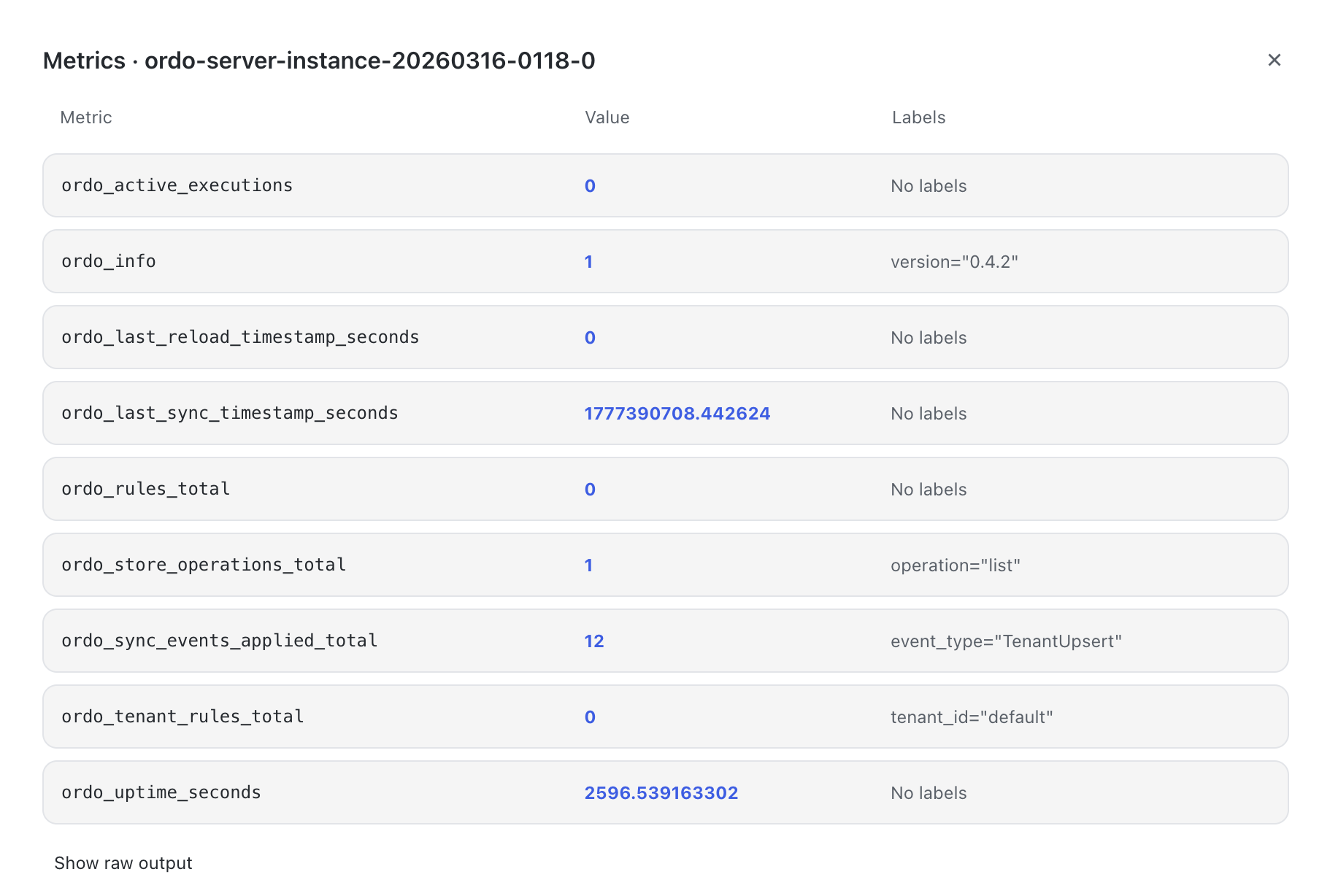
Click Metrics on any instance to see its Prometheus metrics:
How it works
Platform tracks engine state through registration and heartbeats.
When ordo-server starts, it sends a registration request to ORDO_PLATFORM_URL with its address, name and version. After that it sends a heartbeat every 10 seconds. Platform records when it last heard from each instance and derives health status from that.
Rule sync runs over NATS JetStream. When a rule change is published, Platform sends a message on the ordo.rules.* subject. Subscribed engine instances receive it, hot-reload the ruleset, and report the new rule hash in their next heartbeat.
So Platform knows:
- Which instances have the latest rules loaded
- Which are still on an older version (a NATS interruption or a slow restart)
- Which have stopped responding
Before you publish
Before publishing a rule change, check:
- All target instances are healthy. A degraded instance may keep running the old rules for an unknown amount of time.
- Versions match. If some instances are a version behind, old and new rules both serve traffic during the rollout.
- Heartbeat latency is normal. High latency usually points to an unstable network or an overloaded instance.
The publish dialog in Platform runs this check. If a target instance is unhealthy, the dialog shows a warning and asks you to confirm before it continues.
Multi-tenancy
In a multi-tenant deployment, a tenant’s rule releases only reach that tenant’s engine instances. The service visibility page is filtered by tenant by default, and admin users can see all tenants.
Getting started
Log in to Ordo Platform and go to Infrastructure → Engines. If the list is empty, ordo-server hasn’t registered yet. Check that ORDO_PLATFORM_URL and ORDO_SERVER_TOKEN are set correctly in the engine configuration.
File issues on GitHub or read the deployment docs.